Updates worth sharing. Stories worth reading.

Turn scattered updates into vibrant, shareable newsletters that people actually read.
Wakelet helps schools and teachers create school newsletters, classroom newsletters, and visual updates that are easy to read, revisit, and share.
Add content from social media, drives, and the web into a simple, structured collection.
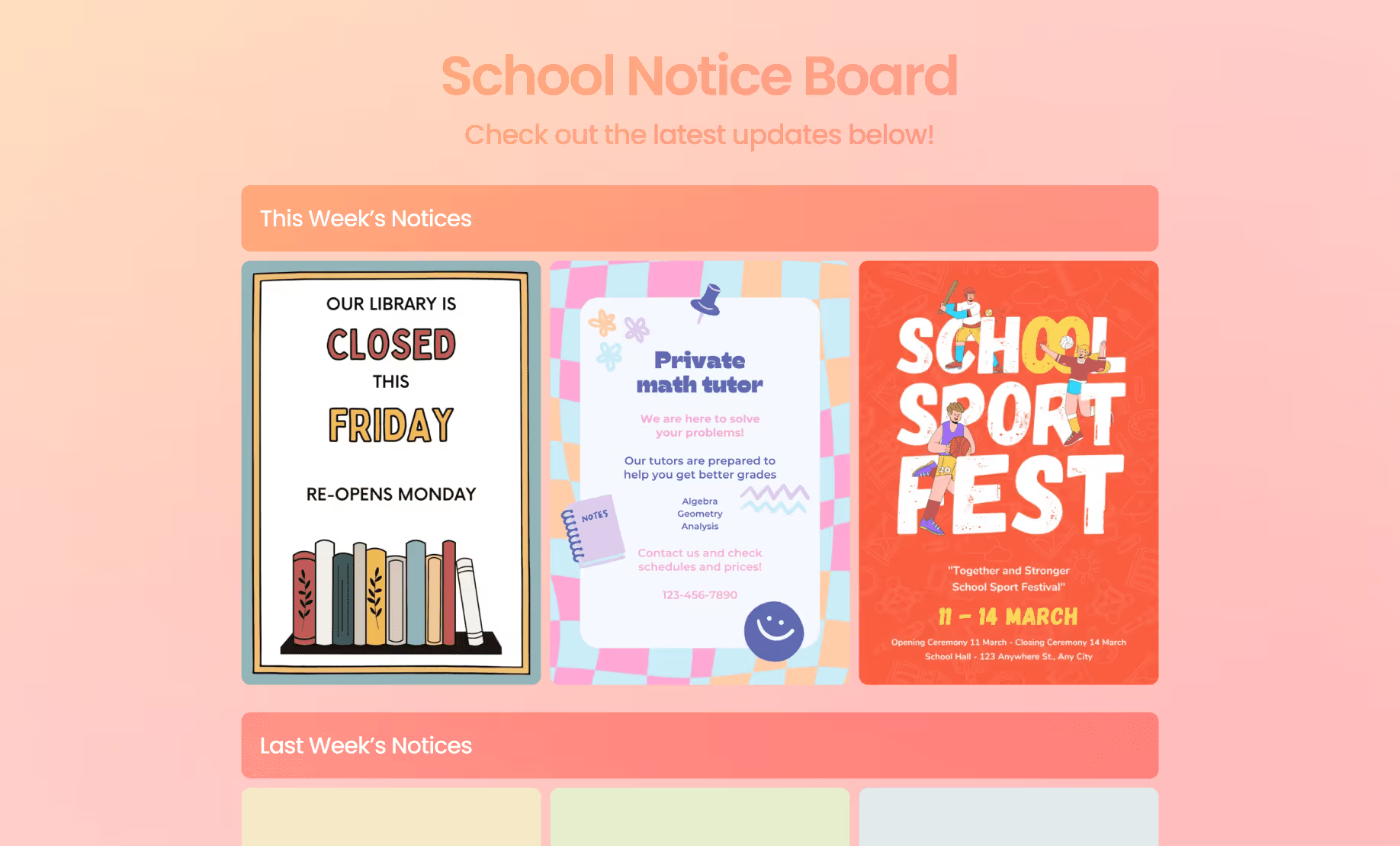
Organize your newsletter into a clear, interactive layout that feels more like an experience than an email.
.avif)
Email. Social. LMS. Website. Share your newsletter with one link so your audience revisits it whenever they need.

Your updates deserve more than an email.
Wakelet helps you build them that way.
Long messages packed with links, files, and attachments.
 Important resources buried in email threads.
- Media that's hard to add, and hard to read.
- Surprisingly difficult to find and revisit later.
Lean, visual newsletters shared though a single link.
 Clear, structured, and engaging updates.
- Embed media, content, and files in seconds.
- One place where all your newsletters live.
85%
20+
K-12
Create a beautiful newsletter in three easy steps.
1. Add your updates.
Collect the links, stories, media, announcements, files, and resources you want to share. Works with all content types across all your favorite tools.
Try for free
2. Shape the story.
Organize updates into sections and layouts, so newsletters are easy to scan, navigate, and understand.
Try for free
3. Share the link.
Build and share a permanent page where all your newsletters live, or share links to individual newsletters to families, staff, students, teams, or your wider community.
Try for free

“Wakelet was the perfect way to bring our school’s weekly updates into one shared space. Parents, teachers, and students no longer had to search across different social media platforms or create multiple accounts - they could simply bookmark our Wakelet page and see everything happening in school. It gave us a simple, powerful way to tell our story and celebrate the amazing work taking place.”
Create your first newsletter on Wakelet today!
The platform is COPPA, FERPA, CSPC, EDLAW2D and GDPR compliant.


Discover a Wakelet plan that works best for you.
Choose from a range of flexible plans for yourself,
your team, or your organization.
Starter
- Create up to 3 collections
- Publish up to 3 collections
- Join unlimited collections
- Add up to 250 items
Pro
- Create & publish unlimited collections
- Add unlimited items
- Record & upload videos
- Create image carousels
- Pin items to the top of a collection or section
- Add color to items
- Access to Wakelet AI
Education Group
- Shared collaborative workspace for teachers & students
- Organize teachers & students into groups
- Access & review all student profiles and collections
- Add to or edit student collections
- Set activities for students
- Portfolios for all students
- One super-admin seat
- Flexible roles & permissions for sharing & integrations
Education Enterprise
- Students retain portfolios after graduation
- Account rostering via Google, Microsoft, Clever, ClassLink or CSV
- Multiple super-admins for flexible control
- Advanced analytics
- Multi-level organization (districts, schools, departments, classrooms, teams etc.)
- Priority support for faster resolutions